Why EMERGE Product Management Software is the best for your SMB?
Managing goods in wholesale, trading, or distribution is undeniably challenging. Handling a large variety of products with large quantities every day, overloaded spreadsheets, errors in coordinating multiple suppliers, inefficient resale price updates, etc., all make manual tracking and monitoring impractical. Switching to a product management software is a necessity at this point.
EMERGE stands out as a software for product management with practical features to help businesses manage products more effectively and solve common operational problems. Key features of product management are raw material management, barcode and serialization management, product specificity-based reporting, variant management, and unit of measure management. On top of that, EMERGE’s integrations ensure your product data stays consistent across your accounting, sales, and fulfillment systems. Meanwhile, the mobile app gives you on-the-go access to key product, stock, and order information so you can manage operations anytime, anywhere.
Real-time Inventory and Stock Tracking
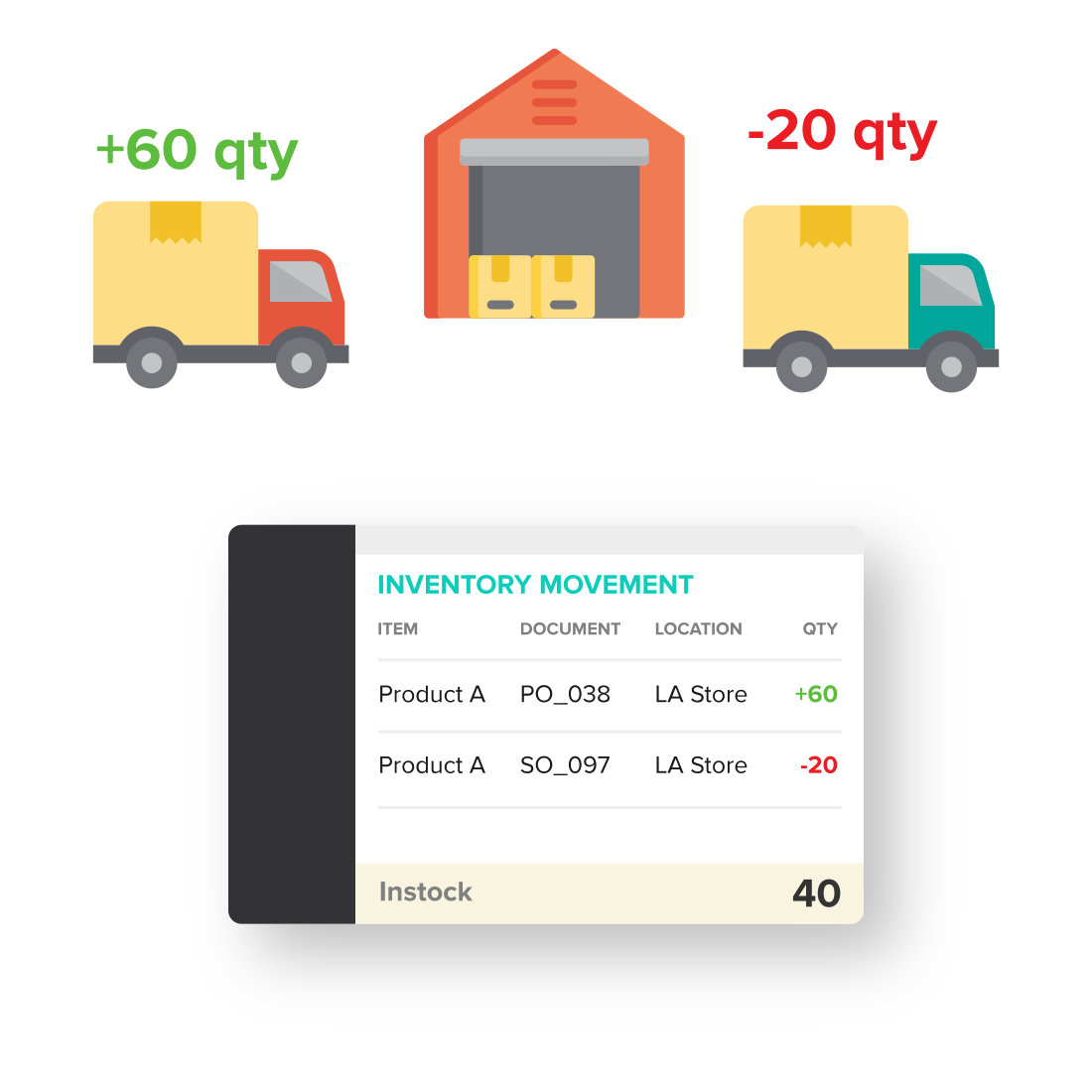
As a cloud-based system, EMERGE product management software helps you track inventory in real time, issue purchase orders and sales orders along with financial documents, including invoices and receipts at the same time. Managing the entire process from purchasing to storage, fulfillment, and even after-sales in a centralized system helps reduce errors and improve operational efficiency.
- For purchasing, when products arrive at the warehouse, issuing a Receive Note allows you to accurately record data into the system. This helps to minimize inventory discrepancies caused by mismatches between physical inventory and system inventory due to human error in processes such as receiving and storing.
- EMERGE updates inventory levels in real time, whether goods are being brought into or out of the warehouse, along with goods already in stock. This allows you to track all of your required inventory levels in a variety of ways, including or excluding purchase orders or sales orders that have been created.
- Having product management software means you have a system that records inventory movements in real time with high accuracy. With the right and timely inventory levels, you can sell better, quote faster, and minimize situations such as duplicate sales or underselling.
Raw Material Management
In the wholesale business, proficient management of raw materials and products is essential to save costs and maintain total inventory costs. If you accumulate too much raw materials, it will tie up business capital and disrupt operations. Using software for product management specifically designed for material control can improve management efficiency and decision-making.
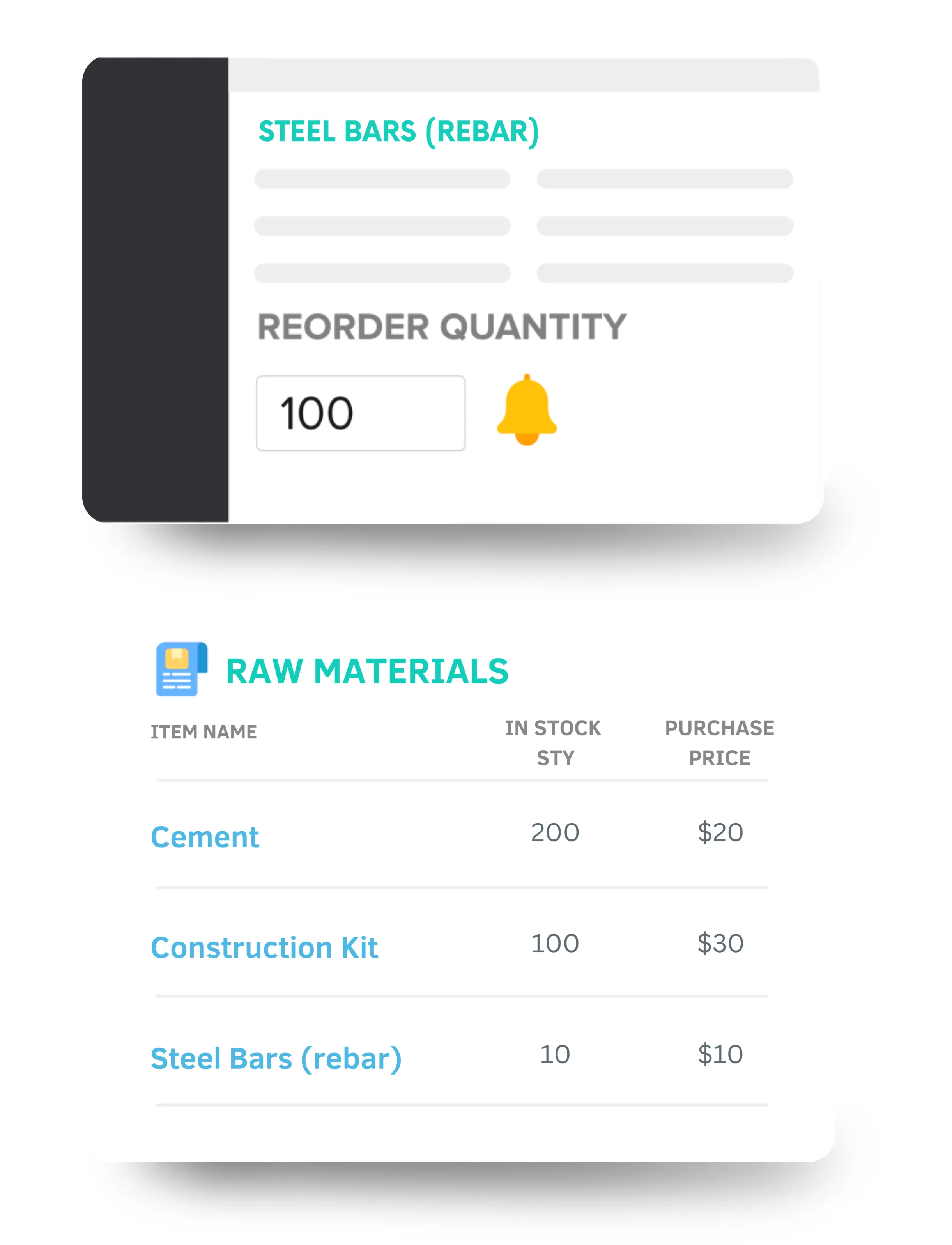
- Set minimum Reorder Points to receive alerts when ingredients are running low. EMERGE product management system automatically creates Propose Purchase Order with the correct items and quantities needed for shortage situations. This saves you time and reduces errors in the purchasing process.
- Using product management software also helps you update changes in price and quantity if there are adjustments or transfers without disrupting the entire operation.
- When material costs change, use Product Reports to see the impact, helping you make informed decisions and adjust raw material inventory accordingly.
- Managing BOM (Bill of Materials) with product management software makes it easy to track products as bundles or track materials during assembly or simple manufacturing.
Items and Bundles Tracking
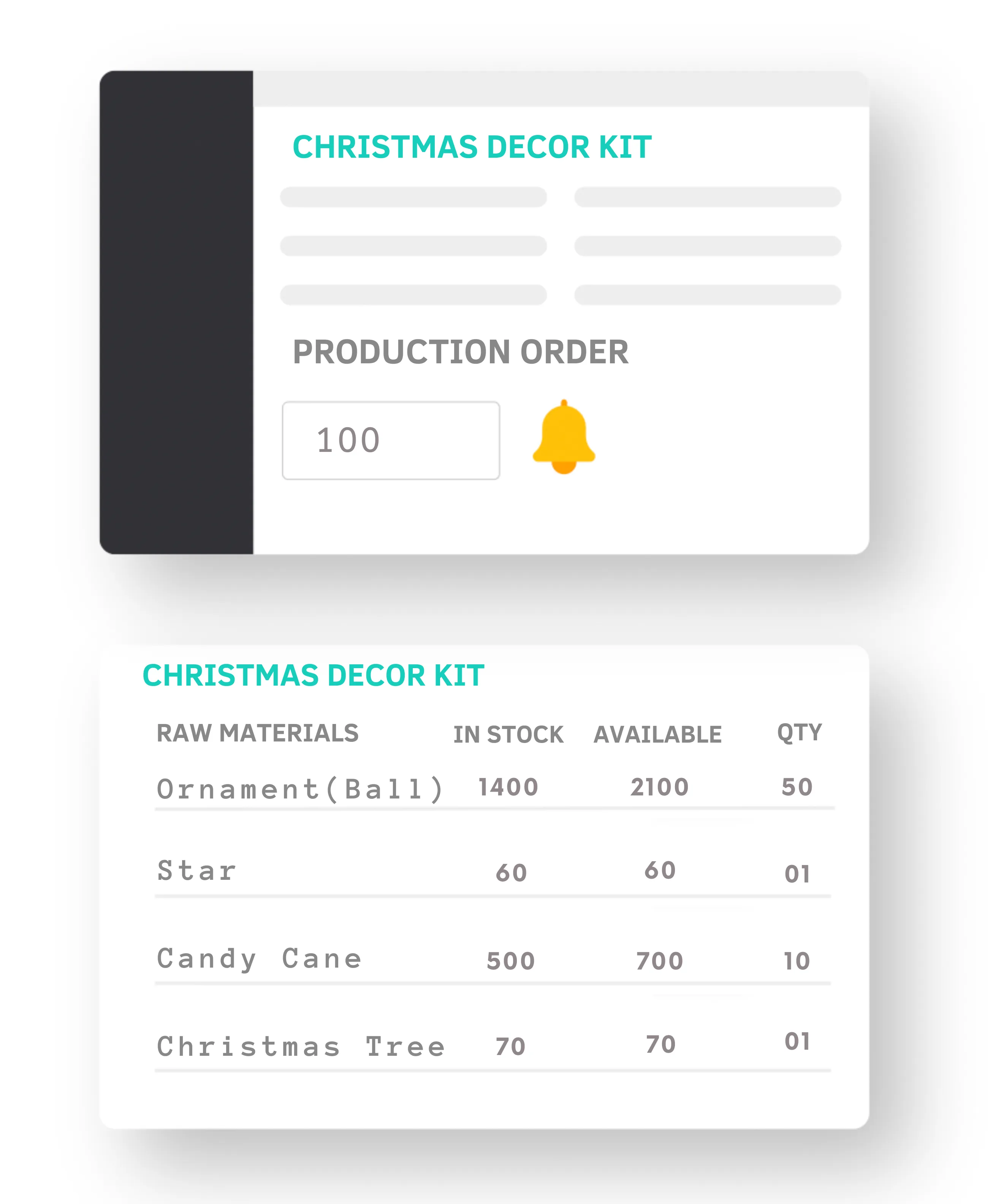
To support the sale of product bundles, kits, or sets, EMERGE offers a product management solution that helps wholesalers manage inventory for both individual items and packaged products.
- Create parent products linked to child products or components based on the Bill of Materials (BOM).
- Track inventory levels for each item and each component within a bundle so you can estimate stock availability and make accurate purchasing decisions.
- When a sales order requires a bundled product, you can generate a production order with the corresponding quantity for that bundle to avoid overstocking. This production order is linked directly to the sales order, making the entire process easy to track and fully transparent.
- The system will automatically deduct inventory levels for each item in the bundle that has been produced and sold, keeping your inventory records accurate.
Simple Production Management
For wholesalers and distributors who need to assemble products into packages/kits for push strategies or produce specialty products that require multiple stages to get to the finished product, product management software provides a manufacturing module to help you manage these types of production.
- Create a production schedule for each stage and set an expected completion date.
- Produce your products based on two production methods MTS (Make to Stock) or MTO (Make to Order), preventing waste or overproduction.
- Automatically subtract raw materials and add finished products to inventory when production orders are deployed and completed, ensuring inventory levels are updated accurately.
- Easily manage additional manufacturing costs, manufacturing suppliers, and shipment information in case you manufacture in batches.

Product Variants Management
In wholesale business, product lines often consist of numerous variants, including size, color, material type, and even expiration dates for each product. Managing such a vast inventory manually becomes impractical, making software for product management essential for effective product management.
- Create various product variants and link them to each other based on the valuation you’ve set. This simplifies the process of setting up tags, images, and selling prices for each individual variant.
- The table variant management interface in the software allows you to view, configure, and sell all variants in a single table view, making it easy to manage.
- For accessories and apparel businesses, managing variants like clothing sizes or jewelry types can be challenging with traditional methods, but a software for product management can help.
Without a product management system, envisioning the complexities that could arise from changes at any stage is daunting and could lead to chaos, hindering your ability to control the entire process.
Manage Complex Unit of Measurement
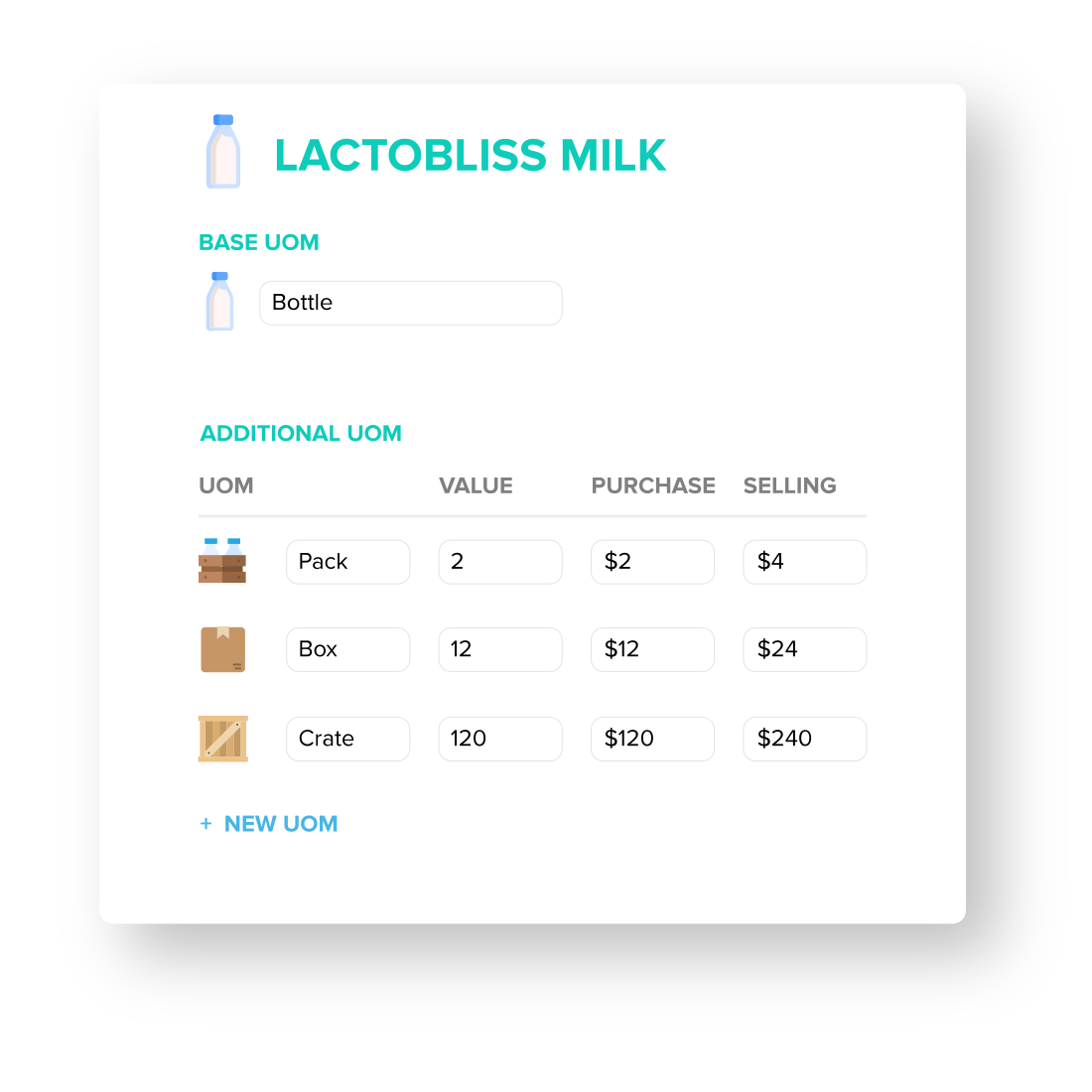
To cater to the needs of traditional import and export companies involved in wholesale or trading, software for product management should offer a sophisticated unit of measurement setup for your products.
- EMERGE supports a wide range of units, making it easier to manage a diverse product catalog. Whether you sell items in basic units, boxes, crates, or more specialized measurements like grams or ounces, it has you covered.
- You can define a base unit of measurement and assign specific selling and purchase prices for each unit.
- When creating an order, you can easily scan and select the appropriate unit based on your customer’s requirements.
This functionality is seamlessly integrated into the product management software, offering specific details at the root level of each product.
Serial Number Management
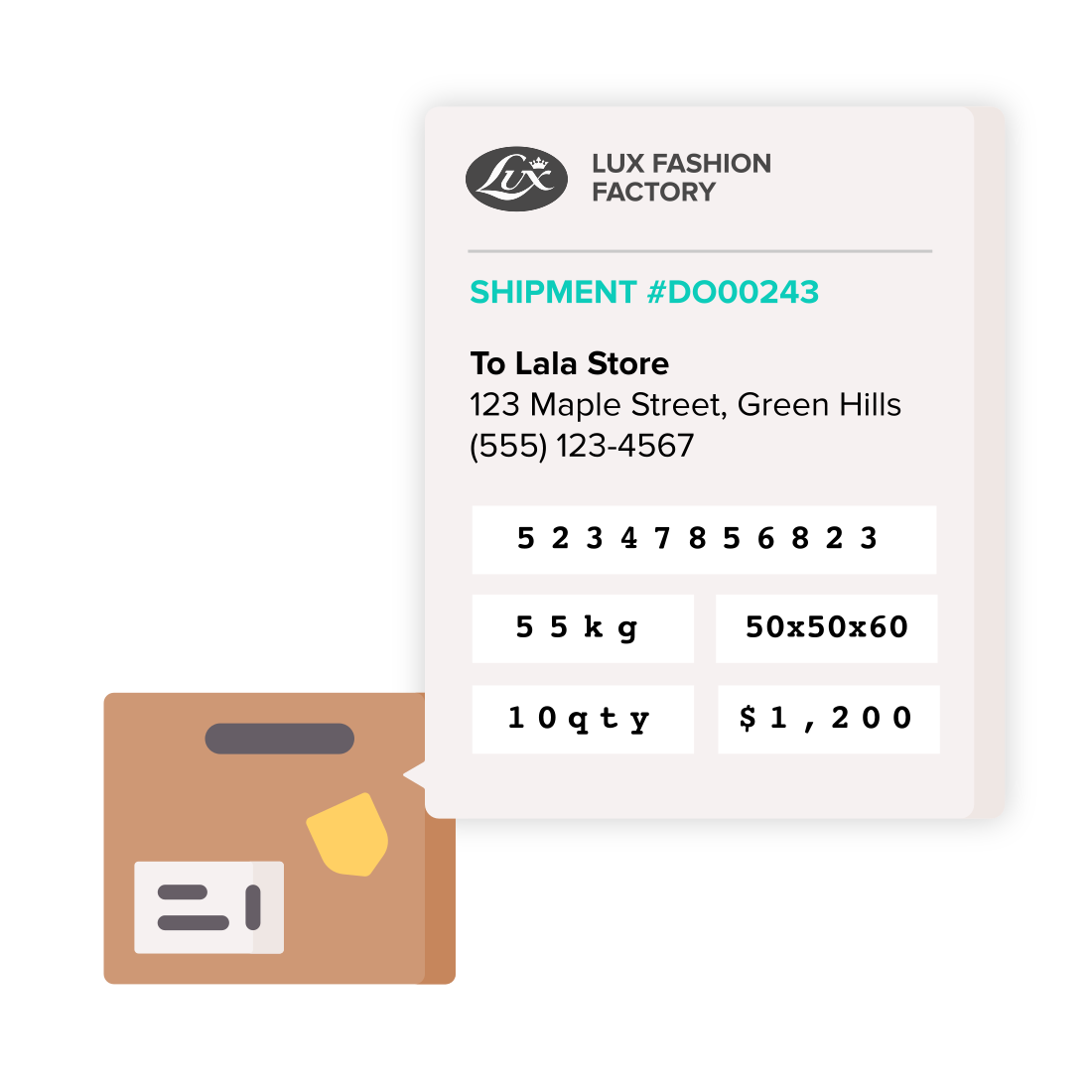
Serial number management is especially important for companies with relatively expensive products and where it is required to track individual parts or items for warranty purposes, maintenance, or traceability. Electronics, machinery, and automobiles are businesses that practically need this feature in a software for product management for more precision.
- You can assign custom serial numbers to products you have created or purchased. Along with the assigned serial number, you can insert notes, warranty dates, etc.
- This serial number can be very useful in accurately tracking items in and out of your warehouse. You can track the history of each item, such as when it was purchased, manufactured, and to whom it was sold.
- When it comes to after-sales, product management software with serial number tracking can be key in most support cases, such as exchanges, returns, replacements, and warranty claims.
- You can check if a product is still under warranty or if there are any related documents, and link the product to the right customer and order.
- EMERGE also enables the creation and printing of barcodes, which can be used in conjunction with serial numbers for enhanced scanning and warehouse operations.
- You also get a central and secure registry of your inventory. So, prospective buyers can check on their authenticity and service history with you.
Barcode Scanning and Mobile Access
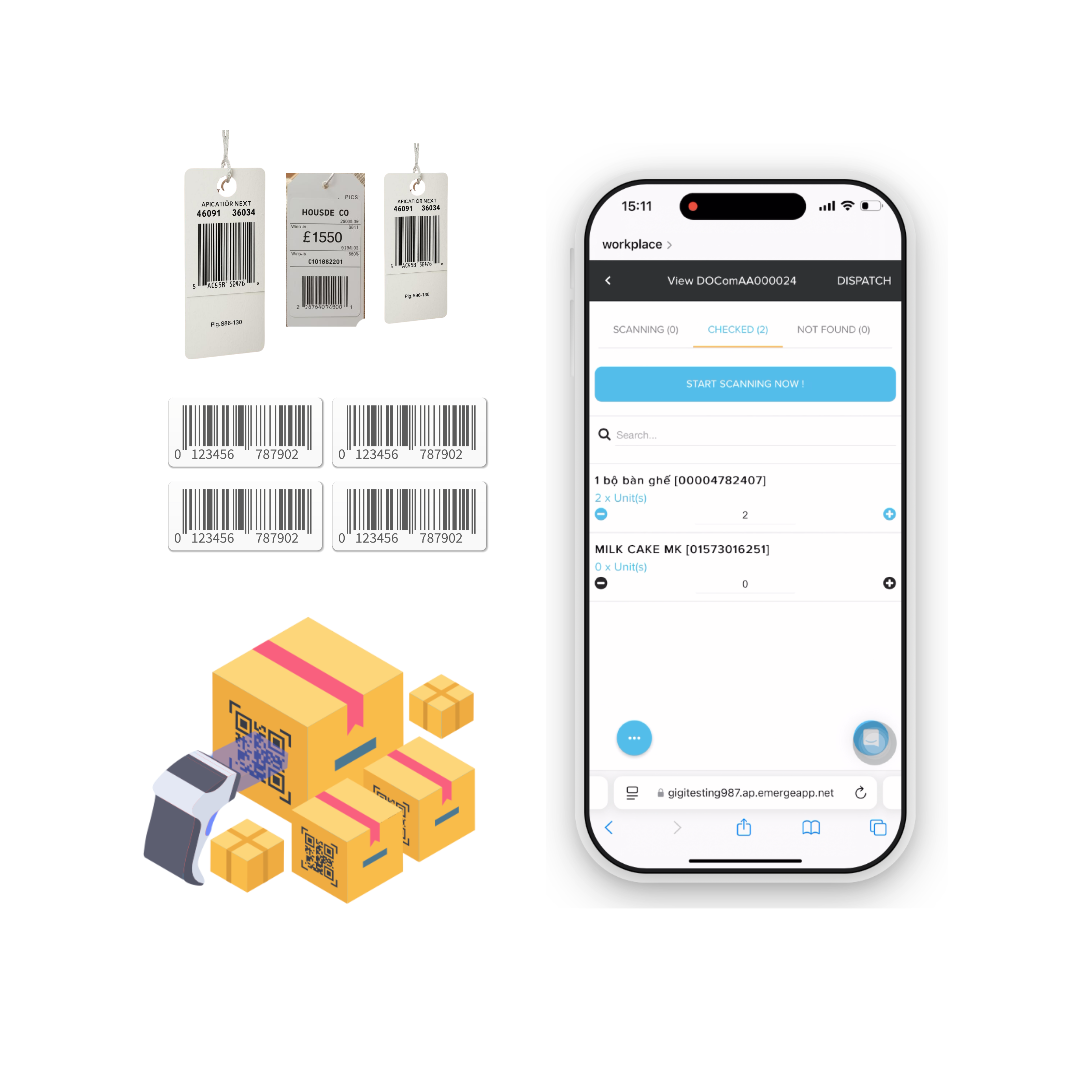
EMERGE product management software with an integrated barcode scanning system gives you an advanced upgrade to warehouse management. Processing large numbers of orders every day, wholesale and distribution businesses using a barcode scanning system combined with mobile access can increase processing speed by 4 times.
- With the cloud platform, you can access the system anytime, anywhere, even on mobile phones.
- Access customer, product, and order information anytime, along with warehouse or sales-related operations such as stock transfer, warehouse release, order creation, approval, etc.
- Use barcode scanners to add items to orders as you move through the warehouse aisles, saving a lot of time in ordering without having to walk around a lot.
- In processes like warehousing and stock transfers, having a barcode scanning system becomes extremely useful, helping you get the job done faster and more accurately with just a simple scan.

Batch and Expiry Management
In the wholesale distribution sector, particularly within pharmaceuticals, food, and biomaterials, the complexity of inventory tracking and product management intensifies. It is crucial to track each product purchase by batches and, most of the time, by expiry dates. A robust product management software becomes essential to manage shipments and expiration dates efficiently in both receiving and sales processes.
- Assign batch and expiration dates when you receive the goods into the warehouse, and when you complete the manufacturing process, if you have one.
- Each batch is tracked from purchase or production to sale, allowing you to identify which customer received the product from that particular batch.
- Choose the batch you want to prioritize selling when you place an order. The system will also display all the information about the batch and expiration date when you select the item in the sales process.
- With expiry dates assigned for each batch, you can track shelf life and prevent costly inventory expirations.
- Generate Inventory Overall Report with batch information and set a date range to view expiring products.
- Using the Expiry Batch Reminder feature to generate and mass-send emails to remind your customers about the expiring products they have purchased.
This feature proves to be extremely useful in ensuring accuracy and efficiency in the complex landscape of product management in F&B, pharmaceutical businesses.
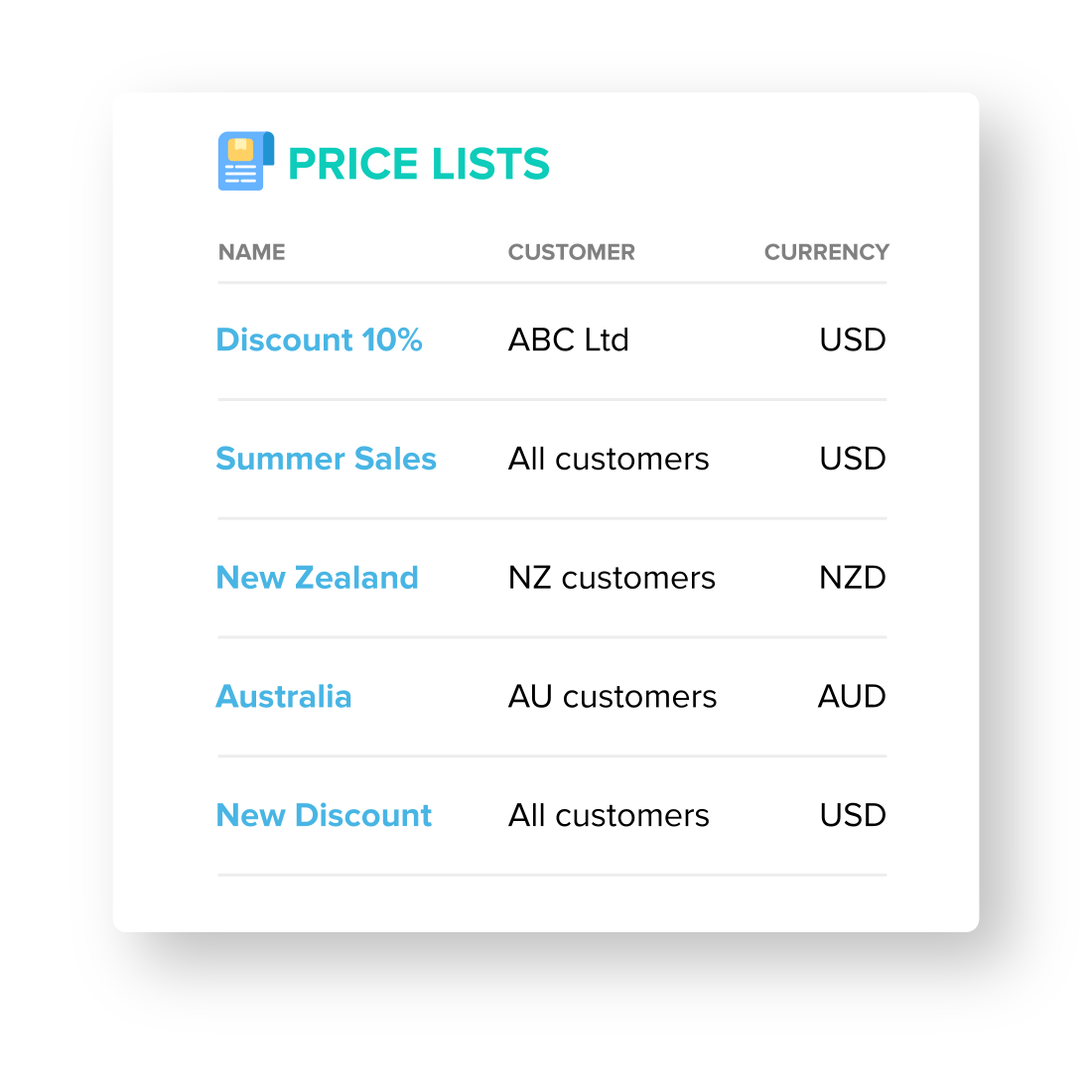
Price List and Real-time Price Updates
Businesses that sell products with fluctuating prices need to update their selling prices accurately. For wholesale distribution businesses, updating prices can be difficult and time-consuming using spreadsheets. However, using software for product management can address these challenges.
- Check the historical prices of the items you sell, such as the last selling price or the last manufacturing/purchase cost, and set new unit prices as needed when creating an order.
- The system will automatically update unit prices when you adjust the material cost for that item.
- Access product information via mobile so your team can quote customers at the right time and at the right price.
- Set up price lists for promotional campaigns or segment customers based on loyalty. These price lists may include tiered pricing rules based on the number of customers purchasing.
- When creating a price list, you can apply discounts or fixed prices based on different price references, such as the final purchase price or the final manufacturing cost.

Reports in Product Management
Organizing products by categories and brands helps businesses maintain a clear structure, making it easier for internal teams and customers to understand the product range. With this structure in place, businesses can generate insightful reports to manage their products more effectively.
- In EMERGE, the Product Reports feature lets you filter data by category, brand, supplier, product tag, and more, giving you the flexibility to analyze your products from multiple angles.
- Use the Product Sales Report to track how your products perform based on specific units of measurement (UOM) and profit margins.
- The Product Trend Report, which requires six months of data, helps you identify which products are rising in popularity and which ones might not be worth reordering.
The best product management software helps you streamline product handling and ensures consistent, up-to-date information across your team.
Supplier Reconciliation & Purchase Management
As part of product management, managing multiple suppliers is extremely important for your bottom line, especially for wholesale distribution companies where purchasing costs and product quality directly impact profitability. EMERGE product management software provides tools to help you manage multiple suppliers, products, inventory, sales activities, etc.
- Track supplier delivery performance to identify suppliers that are not meeting your requirements. This also helps you recognize high-quality, reliable suppliers to continue working with, which ultimately minimizes supply chain disruptions.
- EMERGE includes a price comparison feature that allows you to send bulk RFQs to multiple suppliers for the same product and generate reports to identify which supplier offers the best price and terms.
- Easily coordinate multiple suppliers for a single product. When purchasing, you have the flexibility to choose the supplier you want. All historical orders are recorded and tracked within the product or supplier management pages, where you can access the information at any time.
Gold Features
Variant table interface
A simple yet essential feature called the Variant Table Interface. With this feature, EMERGE provides you with a display format that combines variants of the same item with the same price into a table view. You can use this view for various functions like creating orders from Quote Order, Sale Order, Purchase Order, Receive Note, Delivery Order, Invoice, and more.
This feature is particularly valuable in the fashion industry, where having an overview of your products is crucial for creating orders quickly and easily.
Keeping the page neat and easy to read, this design helps users purchase and sell items more efficiently. You won’t waste time searching for different sizes or colors of the same item in separate conditions.
Industries that are suitable but not limited to use Variant table interface:
- Fashion, accessories & stationery
- Industrial parts with different variations (eg: Diameter, dial, colour etc)
- Household consumables
- Medical consumables
At $59 per month or $489 per year, investing in this optimization process could significantly improve your workflow. Do you think it’s worth it?
Frequently Asked Questions
-
What makes EMERGE product management software the best?
We’re a product management solution company which is extremely affordable for smaller businesses but yet allows customization of the app as part of our growth business model, to facilitate when your business grows. Regardless of what types of product you’re managing, EMERGE has already looked into managing it better, without sacrificing usability
-
Can I use barcode scanning as a barcode for product management?
Yes for sure, if your products come with barcodes or QR codes, you can scan the codes directly into EMERGE’s product and scan to pull out the product in the product module whenever necessary. Otherwise, you can use the barcode generator embedded inside the product module to seamlessly create the barcodes whenever you create a new product in EMERGE.
Once this is done, you can either use a handheld barcode scanner connected to your PC via USB or bluetooth. You can also use a handheld scanner that is embedded with a scanning camera (eg: Zebra handheld) and open EMERGE’s mobile version on the device’s browser
-
I don’t need other modules in EMERGE (only product management), can I have a discount?
No, we sell EMERGE by users, although you can define features that will be used for each user, we do not sell EMERGE by features but rather users from $36.9/month onwards.
-
If I have features that are missing in EMERGE, can we pay to customize?
Yes, we offer customization to all users. Chat with us to understand your requirements.