Simple ERP Software for Exporters, Importers, and Traders
With functionality covering activities from order, purchasing, to inventory management, EMERGE is commonly used as a simple ERP software for exporters. You will get the easiest way to manage global shipments, with automated landed cost calculations. Along with customs documents generated directly from the software, paperwork preparation is now simpler, so that even your warehouse staff can handle it themselves. All come in one simple erp software for exporters and importers, creating a perfect, simple solution for business management, connected and more effective.
If you are an importer, exporter, or trader involved in international trade, this erp software for exporters lets you see a complete upgrade from using spreadsheets. Try out your first transactions in EMERGE for free today, and find out how this software can help your business.
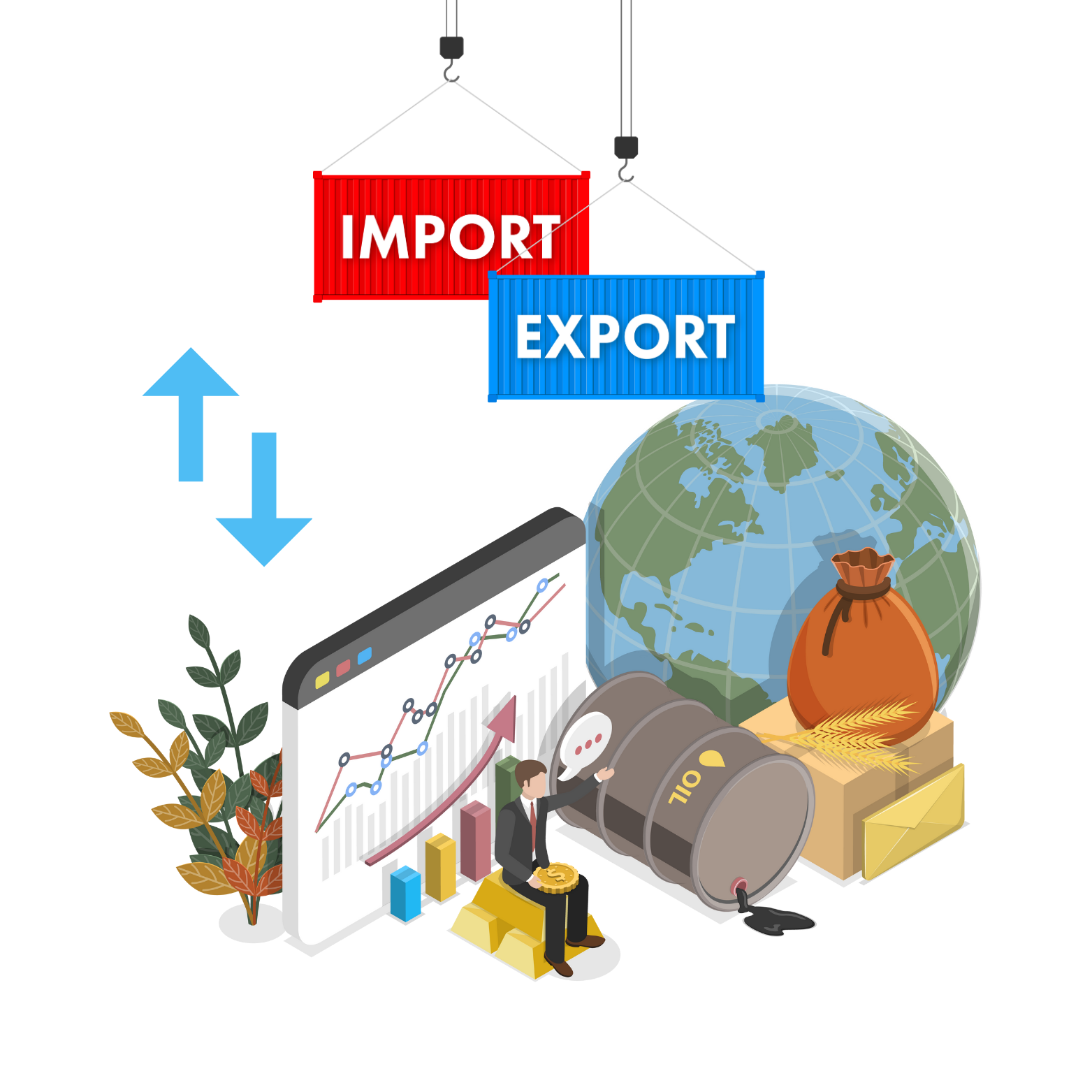
A Powerful ERP inventory management module without complexity for import export business
One of the core functional modules, EMERGE ERP inventory management module is an easy-to-use tool for those who are looking to transition to ERP for small business. EMERGE provides a full-featured ERP inventory management module, from manufacturing, ordering, to sales.
Within EMERGE, you can both track real-time inventory levels across multiple international warehouses and update critical information at the same time. Additionally, the automated reordering system built into your inventory management ERP software helps you maintain optimal inventory levels, preventing stockouts and overstocking. Together with simple manufacturing and project management functionality, EMERGE becomes a powerful ERP inventory management module. Now, let’s explore why this simple ERP software for exporters works for you.
Global Trade & Financial Intelligence
When it comes to global trading, you might wonder how to calculate landed cost for imported products automatically, or how to manage your financial statements accurately without hiring a rocket accounting team. That is entirely possible when you switch to ERP software for exporters.
- The commercial bills generated by EMERGE include important information for exporting activities, such as additional charges, shipping costs, discounts, taxes, etc.
- More than the selling price itself, businesses can track purchase order price versus total landing cost per SKU and quick-view prices like production costs, last purchase price, and last FIFO cost. You can then adjust the unit price accordingly to make sure you make profits from those items.
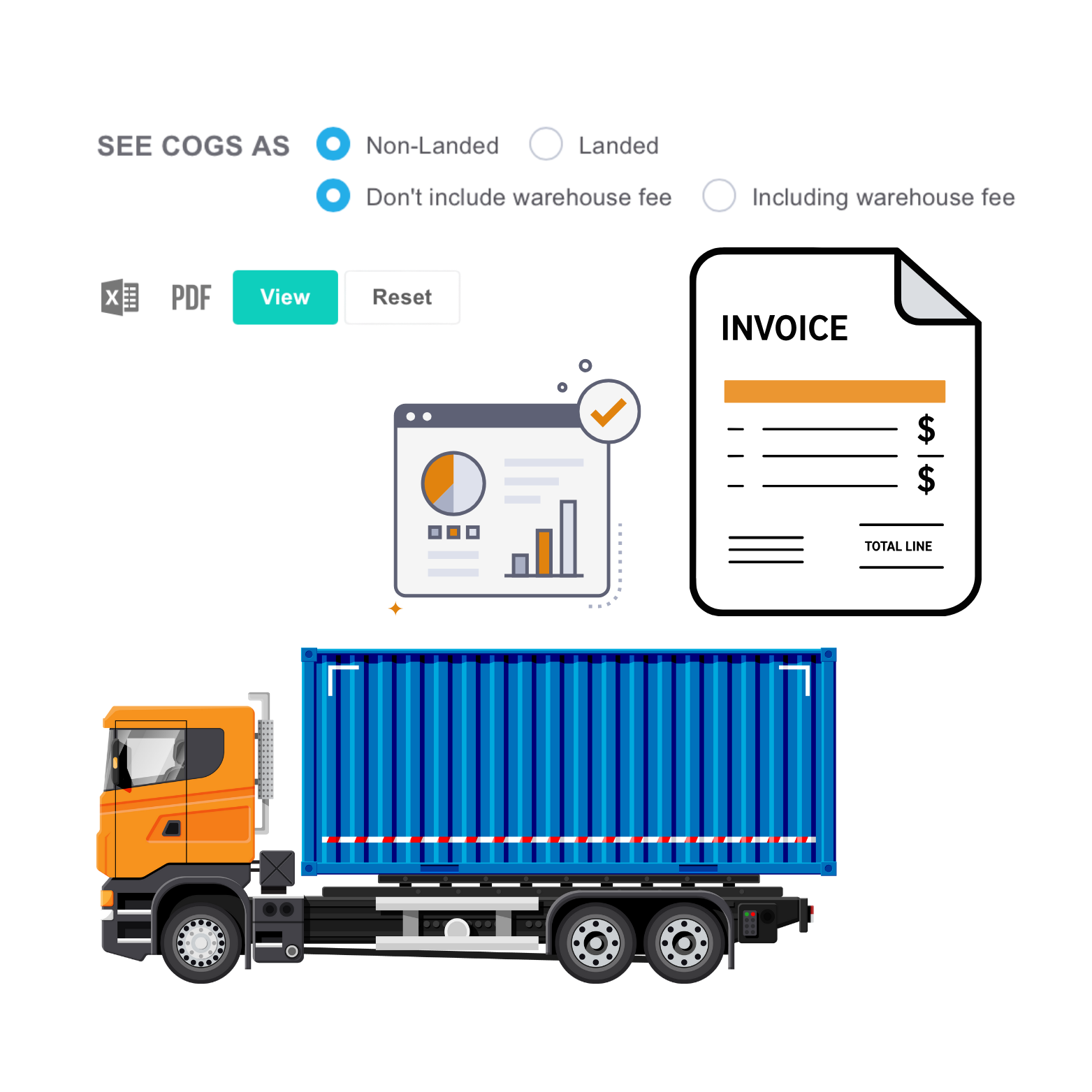
- The landed cost is automatically calculated from related costs in most of the reports you generate in EMERGE. You can choose to view non-landed cost, landed cost, or both of them, in your financial reports.
- Since the ERP inventory management module provides real-time profit margins tracking for import-export business, you can now generate real-time financial reports on-the-go, without depending on your team and accountant.
International Customers & B2B E-commerce Portal
EMERGE is highly recommended as ERP software for exporters, partly due to our eCart functionality as a B2B e-commerce portal. This open B2B e-commerce portal is stable, especially suitable for import-export companies looking to expand while maintaining specialization and customization for each B2B customer without relying on third-party platforms.
- Set up your online shop for online customers with full specialization options such as variant products, different price lists, discounts, multi-currency, and multi-language.
- Easily switch your store’s privacy from private to public mode using the B2B ecommerce portal to attract more customers. You can put this public B2B ecommerce portal on your website or social media, so that new online customers can be directed to the default store. In private mode, your e-cart is only visible to logged-in customers and those you’ve invited.
- eCart customers can then order, track, and pay for those orders themself with multiple payment methods.
Explore more features of the B2B eCart e-commerce portal to see if it benefits you as a simple ERP software for exporters.
Multi-currency & Multi-language Support
EMERGE offers multi-language support for international trading companies, making overseas selling easier for export companies.
- You can create PDF documents such as quotations, purchase orders, delivery notes, etc., in your customers’ preferred language. Set up templates for these documents so that later, when making sales, you can simply apply the necessary template.
- In EMERGE, PDF generation and email sending are combined into a single step, allowing you to review the document and then click ’Send Email to Customers’. This eliminates the time to download, upload, and send files back and forth.
Also, multi-currency transactions are supported, which helps businesses to improve customer experiences for overseas orders.
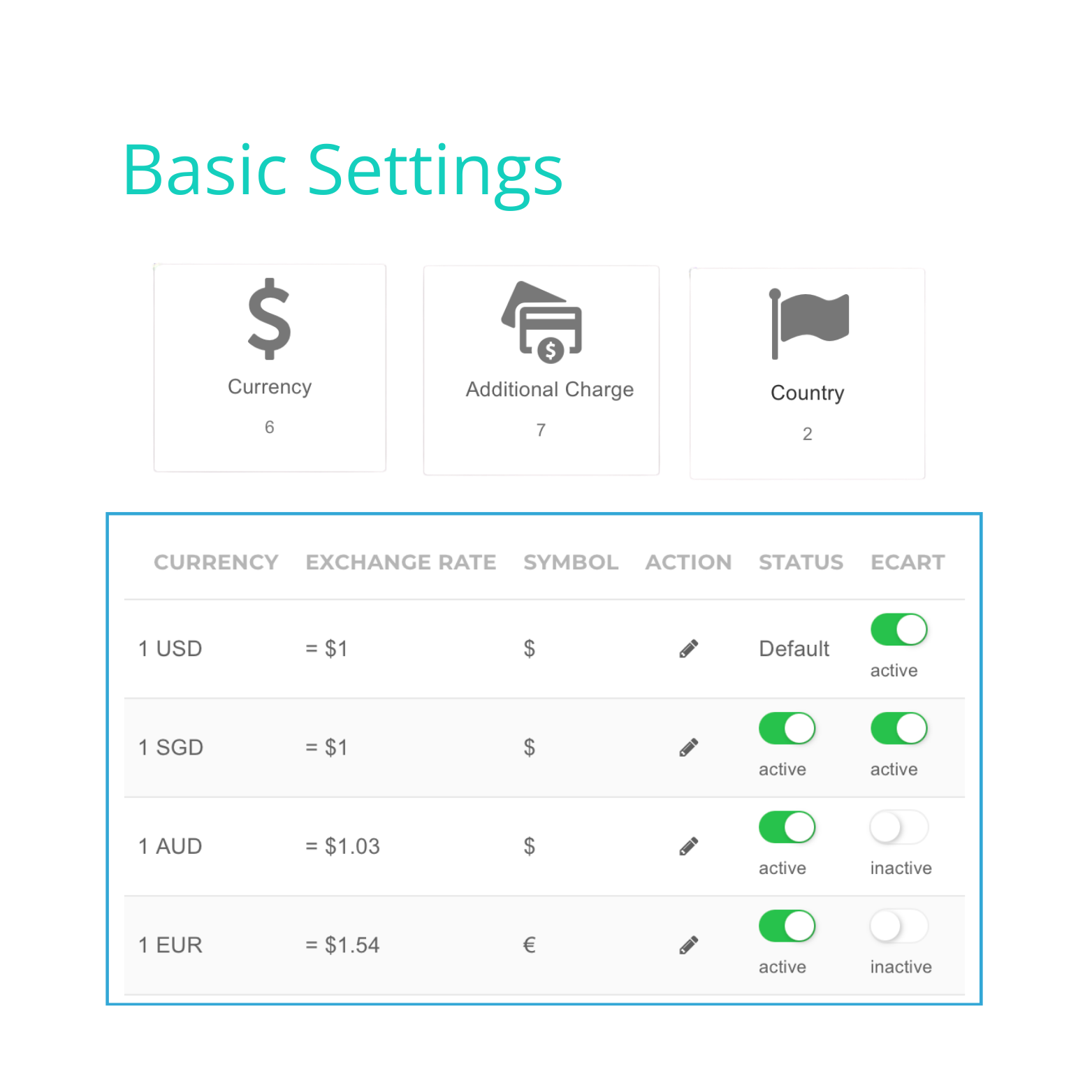
- You can add the currencies your company trades in and set a default exchange rate against the base currency. When placing an international order, simply select the sales currency and adjust the exchange rate to reflect market rates if they change. The prices of the items you add to the order will then be automatically adjusted to that currency.
- With automated currency conversion, your reports stay accurate without the need to manually track bills in different currencies.
Together, multi-language and multi-currency support from the ERP inventory management module helps import, export, and trading businesses manage overseas orders more effectively.
Advanced Warehouse & Inventory Control
ERP inventory management module has real-time inventory sync across multiple international warehouses. As the software is a centralized cloud-based system, you can access data anytime, anywhere, to monitor your business more effectively.
- Every transaction performed will be recorded automatically in the system. Therefore, even if the warehouse is located in a different country, you can easily and promptly track all inventory movements and order statuses in real-time.
Together with multiple warehouses management, ERP software for exporters empowers you to prevent overselling with multi-channel inventory synchronization.
- The inventory levels are adjusted automatically if there is an order occurring in any sales channel.
- Transactions also impact inventory levels like purchase orders, production orders, and delivery orders, which are all recorded in the system and linked to these sales orders. This way, you always see your inventory levels in real time and never oversell again, as well as optimize your stock.
Having the precise number of inventory levels ultimately helps businesses track and optimize warehouse storage costs for trading goods more easily. These data enable warehouse managers to minimize excess stock, directly reducing storage costs for trading goods. Also, this accuracy supports better space utilization and faster turnover, avoiding unnecessary holding expenses.
Real-time Status Tracking
Overseas orders often go through many steps and customs clearances, so they need close tracking. A system with real-time status updates makes this process much easier to manage. Providing end-to-end order status tracking from inquiry to delivery, ERP software for exporters helps you manage both ongoing and completed orders more effectively.
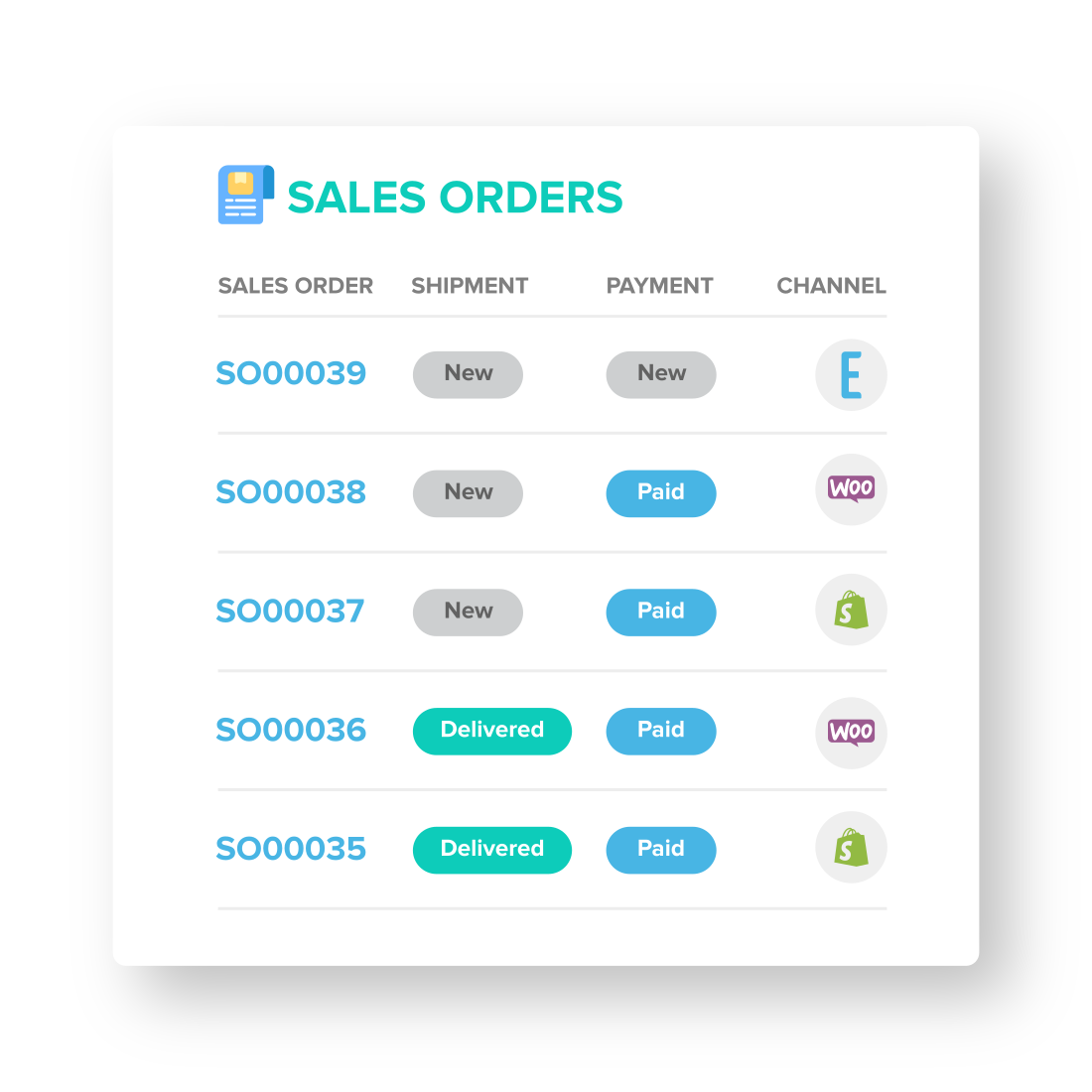
- In the ERP inventory management module dashboard, all the orders from different sales channels, sales reps, and consignment stores are recorded centrally with their status in real-time. With EMERGE filter function, you can sort out the results by specific order status, shipping, or payment to ensure you don’t miss out on any.
- The exchange & return feature provides automatic tracking for sold, exchanged, and returned inventory. With this functionality, order status is updated in real-time even after delivery. EMERGE helps you maintain accurate inventory levels and accounts receivable balances by issuing debit notes for returned items and updating inventory levels accordingly.
Export companies can use the ERP inventory management module, especially to apply specialized price lists for seasonal promotions or changing market conditions when prices fluctuate.
- In EMERGE, you can create different price lists for different customers or customer groups. These price lists can be used for promotions or loyalty programs. When purchase or production costs change, the system automatically updates the latest prices when you create a quotation or place an order. This helps you review your selling price in advance and ensure you do not sell below your profit margin.
Trade Document Generation
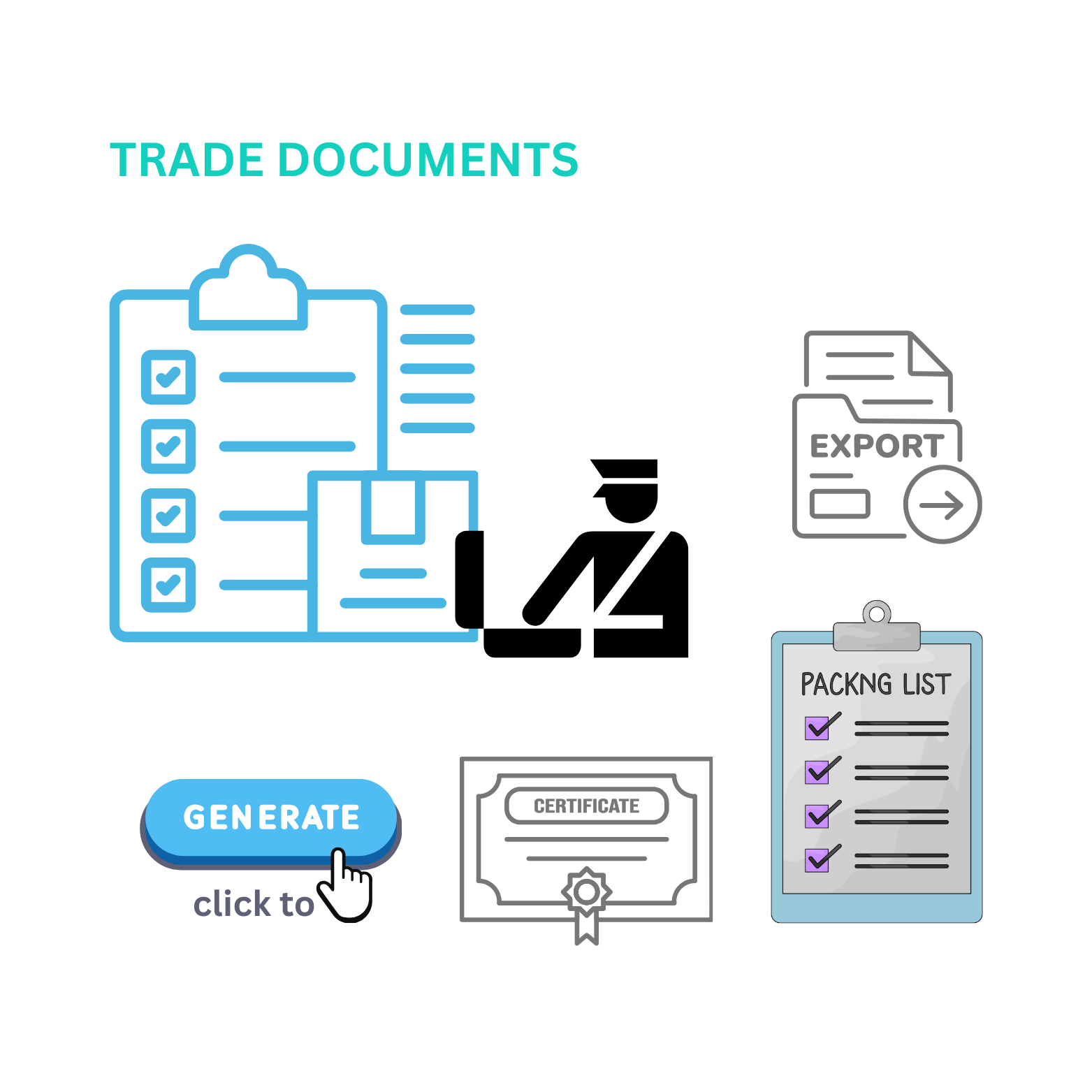
With automated commercial invoice and packing list generation, ERP software for exporters ensures the accuracy of your trading documents.
- Get your CBM calculated automatically by setting up packing dimensions for each item in advance. With this automated calculation, you can save time, reduce human errors in packing list generation, and avoid unnecessary costs caused by mistakes.
- Customize your packing list for each shipment, including important information like shipment details, itemized contents, and packing details.
- Modify the PDF commercial invoice template to meet export document standards.
- Product information, such as HS code, country of origin, or any relevant certifications, can be added to the product module, making it easier for you to manage and declare to customs later.
EMERGE ERP software for exporters offers a customization module, where you can personalize your workflow with different steps, approvals, and relevant document creation to meet trading standards.
- You can set up a simple trading flow such as quotation, order placement, backordering, and shipping. Next, set up a step-by-step process for creating documents such as goods receipts, bills of lading, payments, and gate passes.
- Each step can be optionally set for approval, so the next step or document will only proceed after the previous one is completed and approved. This custom workflow helps trading and exporting businesses set up their processes more flexibly and transparently.
Why Simple ERP for Exporters Beats Complex Spreadsheets
When it comes to switching to software, especially with ERP software for exporters, there are a lot of concerns that low-key stop businesses from upgrading. Some of them are:
- “Excel still works… most of the time.”
- “Software sounds expensive.”
- “What if it takes too long to learn?”
- “What if the system is too complex for my team?”
There are still more, but EMERGE, as an ERP software for exporters and especially for small businesses, wants to address these concerns.
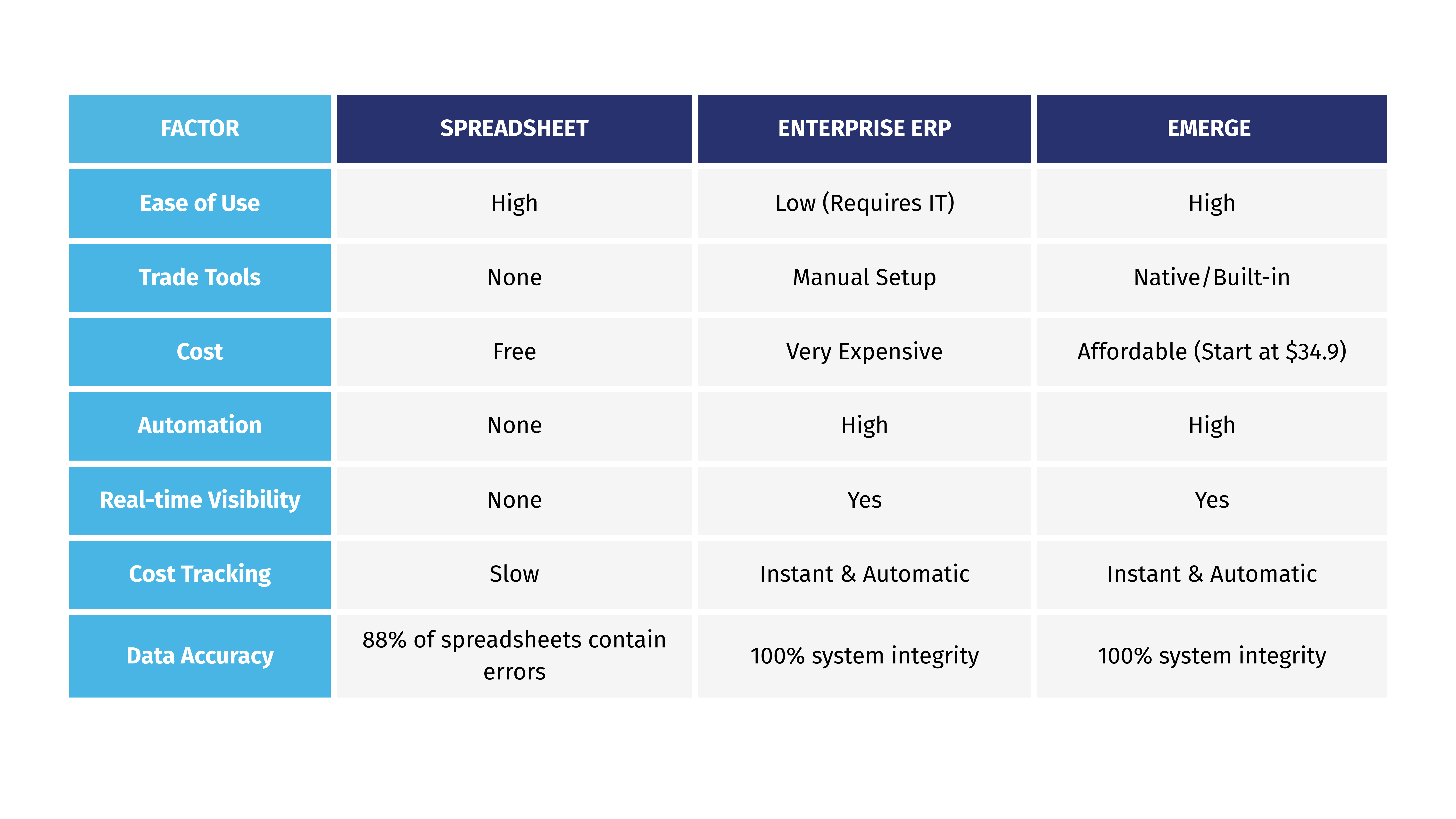
- It is not about spreadsheets not working; it is about the right time when it seems heavy for your growing business.
- Yes, ERP software is expensive, yet a simple ERP for small business is not that expensive. EMERGE is a simple ERP software for exporters, and our user-based price starts at $34.9.
- Also a yes, only if you choose a powerful and large-scale ERP software. These programs are difficult to learn and are typically used by large corporations with numerous problems, and they are not recommended for small and medium-sized businesses.
- EMERGE has a user-friendly interface, a complete training course inside the software with step-by-step instructions for your team to place a sales order, issue a shipment, etc. Otherwise, we do 24/7 support and have a support center with frequently asked questions, so that you and your team can quickly learn how to run the software without disrupting your operation. Most importantly, ERP inventory management module EMERGE offers a free trial forever, so that you can actually test the software and play with it until you and your team are used to the system before deploying it.
Here are the short comparison between spreadsheets, enterprise ERP, and the ERP inventory management module EMERGE:
Frequently Asked Questions
-
Does E support VAT/GST for different regions?
Yes, EMERGE supports VAT/GST for different regions. In EMERGE, you can set up your tax codes, which include tax type and tax rate for different regions.
When placing orders, you can select the preset tax code for the order, or you can create a new one based on the needs of that special region.
Some common tax codes our users are using:
- Standard Sales Tax – S10 (VAT 10%)
- Zero-rated Export – ZO (VAT 0%)
- Purchase Tax – P10 (VAT 10%)
-
How to track true product margin after customs and shipping fees?
In EMERGE, when you assign customs and shipping fees, these are included in the additional charges when you place a purchase order or sales order.
In the sales report in EMERGE, the system breaks down product cost and its true profit margin after calculating landed costs for this product.
You can also view the reports with the landed cost and non-landed cost broken down.
So, in case this product has some relevant costs such as customs and shipping fees tag along, you can easily track the true product margin within EMERGE’s reports.
-
How to automate reordering for international suppliers?
To prevent outstocking by automatic reordering, you can use the reorder feature in EMERGE.
So basically, you need to set up a reorder point for that product with a specific quantity. When the item’s inventory level reaches the threshold, the system will automatically create a reorder with the pre-set quantity to the designated international supplier. Now you just need to go to the system dashboard and approve this reorder.
With the reorder feature, you won’t miss any items that are running low and need restocking, especially for businesses with many product codes (SKUs).
-
How to calculate landed cost automatically for your imported products?
Starting to use a specialized inventory management system or ERP software for exporters helps businesses automate the process of landed cost calculation for imported products.
EMERGE’s ERP inventory management module integrates all costs (product price, freight, duties, insurance, handling) into your Purchase Orders. So when you place a purchase order and enter all the prices correctly, the system will automatically calculate the landed cost for your items. Later, when you generate reports in EMERGE, both landed cost and non-landed cost data are broken down so that you can get a clear insight into imported products.